How to Create a High-Converting Real Estate Walkthrough Video in 2026

Updated: Sep 27
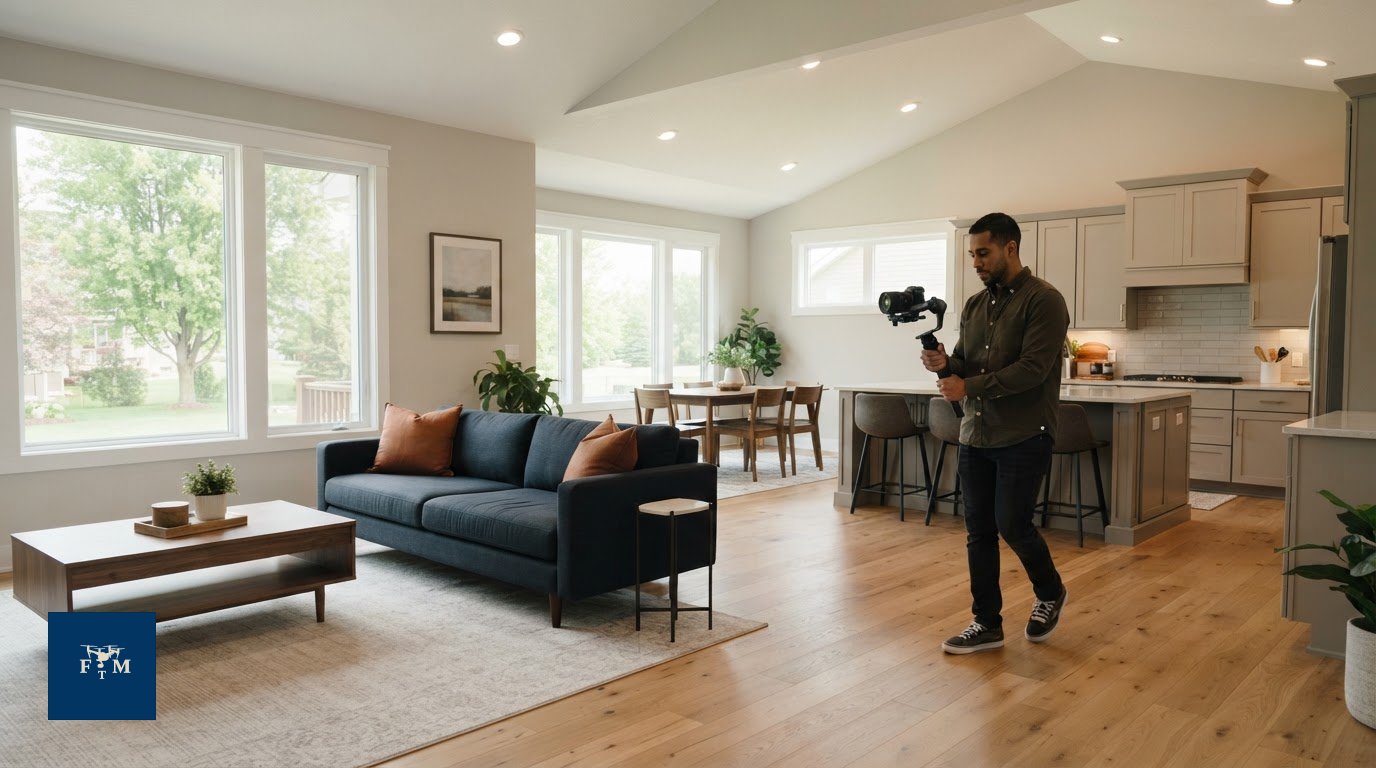
A strong real estate walkthrough video is not about dramatic camera moves. It helps buyers understand how a home is laid out and how its rooms connect. A room-by-room recording can show the floor plan yet still leave a listing looking dark, flat, or easy to scroll past.
That’s a familiar challenge for busy agents. Planning, filming, and editing can take longer than expected, and a polished tour may not hold attention on social media if it isn’t shaped for that audience. Treat the video as a property story: show useful architectural details, then guide viewers through the home’s flow.
This guide covers how to plan, prepare, and produce a walkthrough without adding unnecessary friction to your workflow. You’ll learn how to sequence shots, prepare rooms for camera, make practical choices about lighting and movement, and adapt the finished video for listings and social platforms. Use these steps to create a more engaging tour and present your brand with confidence in the Twin Cities market, from Minneapolis and St. Paul to Edina, Minnetonka, Eden Prairie, Plymouth, Maple Grove, Bloomington, Woodbury, and Lakeville.
Table of Contents
What is a Real Estate Walkthrough Video and Why Does It Matter?
A real estate walkthrough video is a guided or cinematic tour that moves through a home to show its rooms, layout, and flow. Unlike a set of photos, it gives viewers a sense of how spaces connect and what it might feel like to move through the property. It can be straightforward and informative, or carefully paced to highlight the home’s character and lifestyle appeal. These formats are part of the broader category of virtual tours in the real estate industry, which includes different ways to experience a property remotely.
Movement helps viewers notice the transition from the entry to the main living area, see how rooms relate, and get a clearer impression before arranging a visit. Thoughtful pacing and useful context can help them picture daily life in the home. Video can also help set expectations before a showing, though it cannot replace an in-person tour or guarantee fewer visits.
Video can strengthen a listing’s online presentation, but it is not a shortcut to better search placement. Google visibility depends on the page and its broader SEO, while Zillow and MLS display options depend on each platform’s current features and rules. Adding a video does not guarantee higher rankings or more views. Treat it as useful listing content that helps people evaluate the home, and check where and how each platform allows you to share it.
The Evolution of the Listing Tour
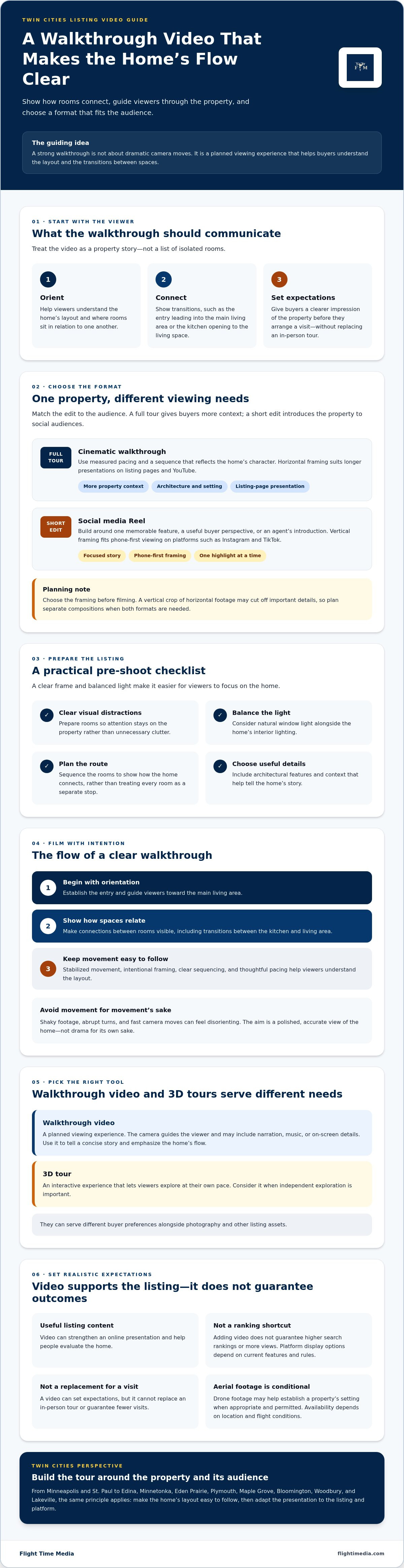
Handheld clips can feel disorienting when the camera shakes, turns abruptly, or moves too quickly for viewers to understand the layout. Stabilized movement, intentional framing, and clear sequencing make a tour easier to follow. Effective listing videos also show how spaces connect, such as the transition between a kitchen and living area, rather than treating every room as an isolated stop. The goal is not drama for its own sake. It is a polished, accurate view of the home.
Walkthrough Videos vs. 3D Tours
A walkthrough video is a planned viewing experience. The camera guides the viewer and may include narration, music, or on-screen details. A 3D tour is interactive, letting viewers explore at their own pace. Use video to tell a concise story and emphasize the home’s flow. Consider a 3D tour when independent exploration is important. Together, they can serve different buyer preferences within a real estate media package, alongside photography and other listing assets.
Choosing the Right Format: Cinematic Tours vs. Short-Form Reels
Match the video format to the viewer and the action you want them to take. Buyers considering a home need enough context to understand its features and overall feel. Social media followers need a focused story that earns attention quickly. For some listings, create both: a full tour for buyers who want detail and shorter edits that introduce the property to new audiences.
Horizontal video suits longer presentations on listing pages and YouTube. Vertical video fits phone-first viewing on platforms such as Instagram and TikTok. Choose the framing before filming so key details remain visible in each format. A vertical crop of a horizontal edit may cut off important features, so plan separate compositions when you need both versions.
The Cinematic Full-Length Walkthrough
For a luxury home in Edina or a waterfront property on Lake Minnetonka, a cinematic tour can give the architecture and setting room to register. Use measured pacing and a sequence that reflects the property’s character. If aerial footage is appropriate and permitted, it can establish the setting before the interior sequence. Drone availability depends on the property’s location and flight conditions.
Social Media Agent Reels
Agent Reels can help viewers connect your expertise with the property you’re marketing. Focus each short clip on one memorable feature, a useful buyer perspective, or your introduction to the listing. A simple structure keeps the message clear:
Hook: Open with a specific feature or question.
Body: Show a few details that support the hook.
Call to action: Direct viewers to the listing or a next step.
Rather than forcing a full tour into a short post, use Reels as a concise entry point. Agents serving Minneapolis, St. Paul, and nearby communities can share listing highlights and their own perspective to build a consistent local presence.
For a coordinated plan across cinematic tours and social edits, explore real estate videography in Minneapolis from Flight Time Media. Decide which audience each version serves before production begins.
The Pre-Shoot Checklist: Preparing the Listing for the Camera
A room can feel tidy in person and still look busy on camera. The lens holds on details buyers might overlook during a quick showing: cords near a wall, clutter on a counter, or reflections that reveal the camera and crew. For a polished real estate walkthrough video, prepare for the camera’s fixed viewpoint as well as the visitor’s experience.
Before filming, walk the planned route and check each frame. Put away personal items, open interior doors as needed, and leave enough space to move smoothly through hallways and between furniture. The goal is not to make the home feel empty. It is to keep visual distractions from competing with its layout and features.
Interior Readiness for Video
Check mirrors, glass, glossy appliances, and framed artwork for reflections. Move small reflective objects if they catch distracting glare. For lighting, turn on fixtures and check how their color looks beside daylight. Bulbs with noticeably different color temperatures can make one room look orange and another blue. Aim for consistency, then adjust window coverings to manage strong light without making the room feel dim.
In Twin Cities homes, available daylight can vary with the season, weather, and window direction. Check the rooms at the planned filming time instead of assuming every space will receive the same light. In an empty listing, virtual staging for real estate listings may help viewers understand how a room could be used. Make sure any digitally furnished presentation is clearly presented and representative of the actual space.
Exterior and Drone Prep
Give the exterior the same attention as the interior. Move vehicles from the driveway if you want an unobstructed establishing shot, tidy outdoor furniture, and clear visible walkways. In winter, remove snow where practical; in fall, clear leaves from the entry and key exterior areas. For a Minnetonka property near the water, check that outdoor spaces and views are ready to be shown without implying features beyond the property itself.
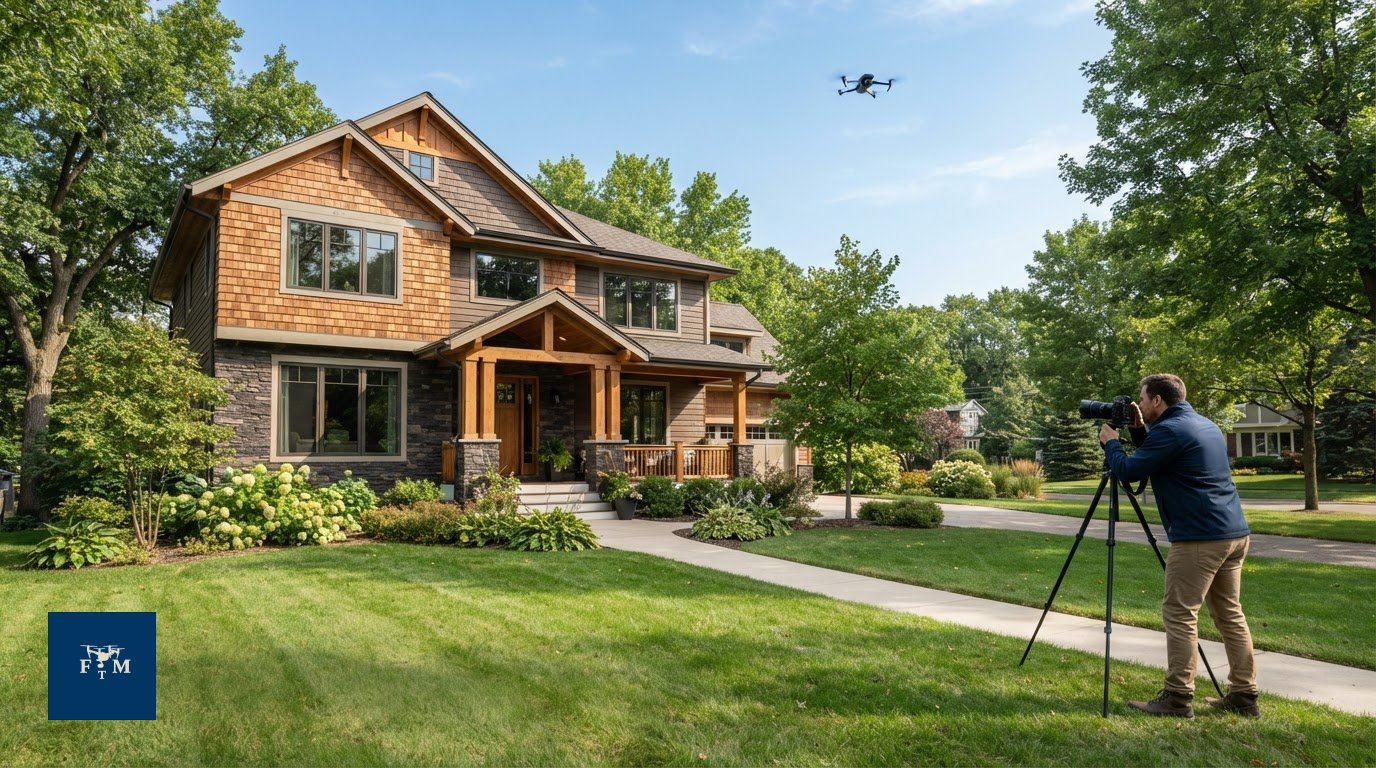
Drone footage can add context or create a wider exterior reveal, but it requires advance planning. Confirm that the location, airspace, weather, safety conditions, and any necessary FAA authorization allow the flight. Commercial drone work should be handled by an FAA Part 107 licensed operator. A property is not automatically flyable just because aerial footage would look good.
Before filming: Clear the camera path and remove visible distractions.
Check lighting: Balance daylight and interior fixtures for a consistent look.
Prepare outside: Clear vehicles and tidy visible seasonal debris.
Plan aerials: Verify flight feasibility before promising drone footage.
Professional vs. DIY: Evaluating Quality, Cost, and Turnaround
DIY video can be a practical fit when the listing needs a quick update and you can produce it without disrupting other work. For a high-profile listing or a seller expecting polished marketing, consider whether your finished video will match the presentation you want clients to associate with your business. The choice is not simply phone versus professional. It is whether the result, time commitment, and listing goals align.
Estimate the full DIY workload, including planning, filming, reviewing footage, editing, and making revisions. Then compare that time with the value of focusing on clients, showings, and other listing tasks. If you produce videos regularly and have a repeatable workflow, DIY may be efficient. If each project becomes a one-off production task, professional support can make the process easier to plan.
The Hidden Costs of DIY Video
Editing often takes longer than expected, especially when you are sorting through multiple takes or trying to make different clips feel consistent. There is also a brand consideration: sellers evaluating an agent may notice when listing media feels rushed or uneven. Before choosing DIY, decide how much time you can commit and what standard the finished video needs to meet.
Marketing expenses may have tax implications, but eligibility depends on your circumstances. Keep appropriate records and ask a qualified tax professional whether a particular expense is deductible.
Why Professional Media Can Support a Stronger Brand
A repeatable production process can help keep your portfolio’s presentation consistent while freeing you from managing every stage yourself. For a listing with broader marketing needs, discuss whether video should be coordinated with Agent Reels or other relevant media. Confirm the project scope, delivery schedule, and any platform-specific deliverables before booking. No production choice guarantees more views or a faster sale; the aim is clear, professional presentation.
If you are comparing professional support for an upcoming listing, review Flight Time Media’s real estate videography services and discuss the format and timeline that fit your project.
Elevate Your Twin Cities Listings with Flight Time Media
A strong real estate walkthrough video depends on more than a camera route. It needs to fit the property, the intended audience, and the rest of the listing’s marketing. Flight Time Media provides real estate photography and videography, drone media, Agent Reels, 3D tours, and floor plans for real estate professionals across Minneapolis, St. Paul, and the Twin Cities.
Local properties call for different visual priorities. A St. Paul home may benefit from a sequence that makes its room connections easy to follow, while a waterfront listing may call for exterior context alongside interior footage. The approach should reflect the property rather than rely on a one-size-fits-all template. This applies across the area, whether you are marketing a home in Minneapolis, Edina, Minnetonka, Eden Prairie, Plymouth, Maple Grove, Bloomington, Woodbury, or Lakeville. When planning a shoot, share the property’s features and intended audience so the media can be shaped around the story you need to tell.
A Coordinated Media Workflow
Start by identifying the deliverables that matter for the listing: a full walkthrough, social-ready Agent Reels, photography, drone imagery, a 3D tour, or a floor plan. Coordinating these needs can make planning simpler, but confirm the schedule and deliverables for each property. If timing is important, ask when each item will be ready so you can coordinate the listing launch.
Drone footage can complement a walkthrough with an exterior reveal or a sense of the property’s surroundings. Not every home can be flown. Each flight depends on location, airspace, FAA requirements and authorizations, weather, and safety.
Plan Your First Shoot
Before booking, outline what the listing needs and where you plan to use the content. If you are considering video, Agent Reels, photography, drone imagery, 3D tours, or floor plans, clarify the project scope and schedule so expectations are clear.
To discuss the right mix for a Minneapolis-area listing, explore real estate media services from Flight Time Media. Share the property type, key features, and intended platforms. That gives the team a practical starting point for coordinating media that presents the home clearly and supports your brand.
Put Your Next Listing in Motion
The strongest video plan starts with a clear purpose: show buyers how the home lives, create a concise social introduction, or do both with edits tailored to each audience. Match the format to the property, then keep the story accurate, focused, and easy to follow.
For your next Twin Cities listing, choose a media approach that fits the home and the way you market. A conversation about the property, target audience, and intended platforms can help clarify the right scope before production begins.
Ready to plan your next listing video? Contact Flight Time Media about real estate media for your Twin Cities listing. Share the property details and the content you need to get started.
Frequently Asked Questions
How long does a real estate walkthrough video shoot take?
Shoot time depends on the property’s size, condition, layout, and planned deliverables. A straightforward interior tour differs from a shoot that includes multiple takes, agent appearances, social clips, or exterior footage. Before booking, share the listing details and ask the media team to confirm the expected on-site time. Preparing rooms and clearing the camera path in advance can help keep the shoot focused and efficient.
Do I need to be in the video as the listing agent?
No. A property tour can focus entirely on the home, or include you to add a personal introduction and guide viewers through key features. Choose based on your audience and comfort on camera. If you want to build a recognizable presence on social media, Agent Reels can feature you alongside listing highlights. You do not need to appear in every property video to present the home professionally.
Can you fly a drone at every property in Minneapolis?
No. A property’s location, airspace, FAA requirements and authorizations, weather, and safety conditions all affect whether a commercial drone flight is possible. A drone operator’s qualifications do not mean every listing can be flown. Confirm aerial availability for the specific address before planning a shot that depends on drone footage, whether the property is in Minneapolis, St. Paul, or a nearby suburb.
What is the turnaround time for a professional walkthrough video?
Video delivery timing depends on the project and should be confirmed when you arrange the shoot. Ask when the finished walkthrough will be ready and whether social edits or other deliverables have separate timelines. Confirming deadlines up front helps you coordinate the launch across your listing channels.
How much does a professional real estate video cost?
The cost depends on the scope of production and the deliverables you need. A simple property tour and a project that includes cinematic editing, agent content, or eligible drone footage involve different production needs. Rather than assume one rate fits every listing, request a quote based on the property, video format, and intended use. Confirm what is included and the expected delivery schedule before booking.
What is the best length for a property walkthrough video?
There is not one ideal length for every listing. Give viewers enough time to understand the layout and notice the home’s defining features, without slowing the tour with repetitive shots. A full-length walkthrough can provide a more complete property experience, while a shorter vertical edit can highlight a few details for social platforms. Let the property and viewing context guide the edit.
Does video really help sell a house faster?
Video can help buyers evaluate a property online by showing room connections, movement, and details that still photos may not convey. It can support a stronger listing presentation, but it cannot guarantee a faster sale. Pricing, property condition, buyer demand, and other factors also influence the selling timeline. Use video to communicate the home accurately and help interested viewers decide whether to take the next step.
Can I use the same video for the MLS and social media?
Possibly, but check the rules and technical requirements of the specific MLS and social platforms before publishing. A horizontal property tour may suit a listing page, while a vertical edit can be easier to watch on a phone. You may be able to repurpose footage, but separate edits can better fit each platform’s format and audience. Confirm usage rights and any platform-specific restrictions with your media provider.

Comments